In today’s digital era, managing finances has become faster and more convenient thanks to online UPI payment apps. These platforms allow users to send money, pay bills, and handle transactions without the need for cash or physical cards. For anyone seeking a secure and efficient way to manage their financial activities, understanding how to use an online UPI payment app is essential. With the right knowledge, users can carry out various activities like bill payments, money transfers, and account management smoothly.
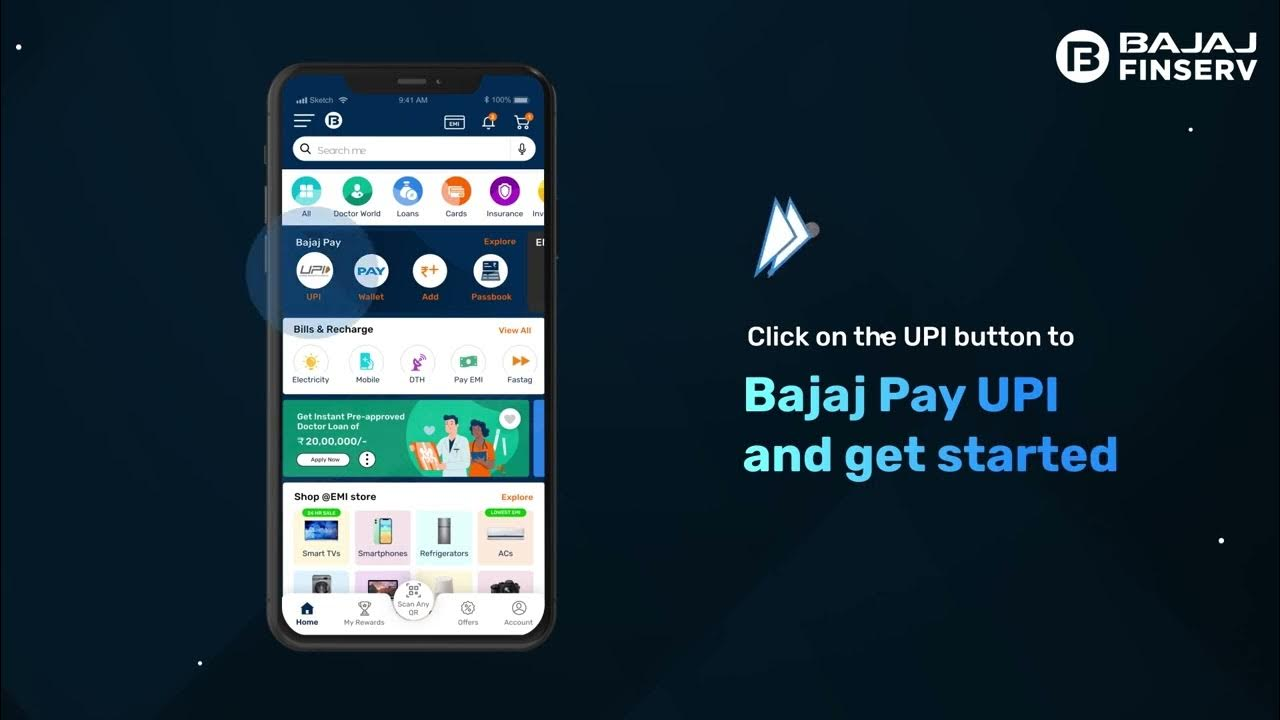
Using an online UPI payment app not only saves time but also ensures that all transactions are encrypted and secure. It eliminates the need for visiting banks or waiting in long queues, making it a practical tool for everyday financial needs.
What is an Online UPI Payment App?
An online UPI payment app is a digital platform that enables seamless money transfers directly from your bank account to another bank account using a UPI ID or QR code. Unlike traditional banking methods, these apps operate in real-time and provide instant confirmation of transactions.
The apps are designed to handle a variety of tasks such as:
- Sending and receiving money instantly
- Paying utility bills
- Managing subscriptions and recurring payments
- Tracking transaction history
UPI stands for Unified Payments Interface, a protocol that connects multiple banks and allows users to make secure transactions using a single app. This feature eliminates the complexity of managing different bank accounts individually.
Steps to Use an Online UPI Payment App
Using an online UPI payment app is straightforward. Follow these steps to ensure smooth and secure transactions:
1. Download and Register
Begin by downloading a trusted UPI payment app from your device’s app store. After installation, register using your mobile number linked to your bank account. Most apps require setting up a UPI PIN to authorize transactions securely.
2. Link Your Bank Account
After registration, link your preferred bank account to the app. Ensure that your bank supports UPI transactions. The app will verify your account details, and once verified, you can start using the app for various financial activities.
3. Add Beneficiaries
To send money, you need to add a beneficiary. Enter the recipient’s UPI ID or scan their QR code. Double-check the details to avoid errors in transactions.
4. Make Transactions
Once your beneficiary is added, you can send money instantly. Enter the amount, confirm the UPI PIN, and the transaction will be processed immediately. You can also request money using the same steps.
5. Pay Bills
Online UPI payment apps allow users to pay electricity, water, gas, and mobile bills directly from the app. Simply select the bill payment option, enter the required details, and authorize the payment using your UPI PIN. The app will generate a confirmation receipt for your records.
6. Track Transaction History
Monitoring your transactions is crucial for financial management. Most apps provide a detailed history of your payments, bill payments, and money transfers. Regularly checking your transaction history helps identify any discrepancies or failed transactions promptly.
Tips for Secure Transactions
While online UPI payment apps are inherently secure, following best practices can enhance the safety of your transactions:
- Use a strong UPI PIN and avoid sharing it with anyone
- Only send money to verified beneficiaries
- Enable app-based authentication and notifications for all transactions
- Regularly update the app to benefit from the latest security features
- Avoid using public Wi-Fi networks for financial transactions
These simple steps help ensure that your money and personal information remain safe while using the app.
Advantages of Using an Online UPI Payment App
There are several benefits to using an online UPI payment app:
- Instant Money Transfers: Funds are transferred immediately without the need for bank visits.
- Bill Payments: Pay monthly utility bills conveniently without manual entries or visiting multiple platforms.
- Secure Transactions: Advanced encryption ensures that personal and financial data remains protected.
- User-Friendly Interface: Most apps provide a simple and intuitive interface for managing all financial needs.
- Transaction Tracking: Keep a record of all money transfers and bill payments for easy reference.
By leveraging these advantages, users can simplify their financial activities significantly.
Common Mistakes to Avoid
Even though online UPI payment apps are easy to use, certain mistakes can compromise security:
- Sending money to unverified contacts
- Using weak UPI PINs
- Ignoring app updates that include security patches
- Sharing personal or financial details with unknown sources
- Neglecting transaction history checks
Avoiding these pitfalls ensures a smooth and secure experience.
Conclusion
An online UPI payment app has revolutionized the way we handle money, making financial transactions fast, secure, and convenient. From sending funds to completing bill payments, these apps offer a reliable solution for managing everyday finances efficiently. By following simple steps to register, link accounts, and track transactions, users can harness the full potential of these platforms while ensuring security.
Adopting an online UPI payment app not only simplifies money management but also reduces the dependence on cash, promoting a seamless digital financial lifestyle. Whether it’s paying bills or transferring funds to family and friends, this technology provides a practical and secure approach to modern-day banking